
Running a business comes with a long list of responsibilities.
Between serving customers, managing day‑to‑day operations, and keeping up with paperwork, getting paid should not add more stress to your plate. Yet many small businesses, churches, and nonprofits in the Willmar area still rely on mailed invoices, paper checks, and manual tracking because that is what they have always known.
That is where Autobooks can make a real difference.
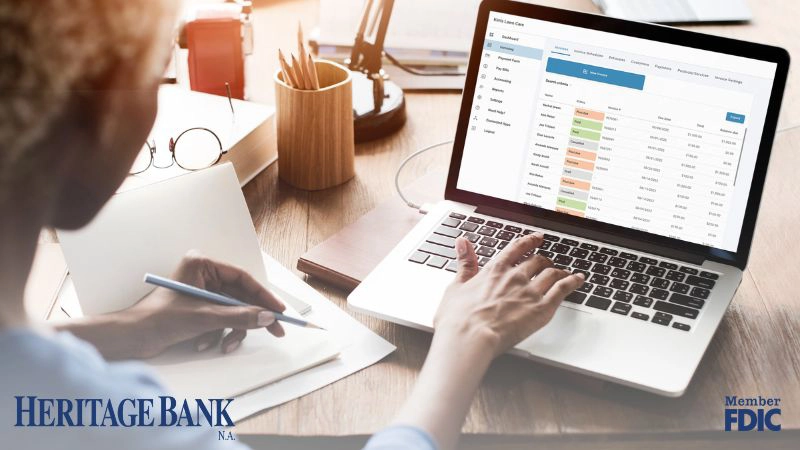
Autobooks is an invoicing and payment tool built directly into Heritage Bank’s online and mobile banking. It gives local organizations a simpler way to send invoices, accept payments, and keep everything in one place, without extra apps or complicated systems.
What Is Autobooks?
Autobooks helps you send invoices, accept payments, and track activity from the same place you already use to manage your business finances.
When a customer pays an invoice or submits a payment, the funds are deposited directly into your Heritage Bank business account. There is no third‑party wallet, and no need to wait to move money from one place to another. Everything shows up right inside digital banking, where you already review balances and transactions.
For many Willmar business owners, that familiarity makes Autobooks feel approachable instead of overwhelming.
How Autobooks Helps You Get Paid
Autobooks was designed with everyday businesses and organizations in mind, especially those that still rely on paper invoices or checks.
All Your Invoicing and Payments in One Place
- Email invoices instead of mailing them
- Accept credit card and ACH payments
- Include a secure payment link on every invoice
- View payment activity inside digital banking
You do not have to change everything at once. Many customers start by emailing invoices instead of mailing them, then add other features as their needs grow.

Using QR Codes for In‑Person Payments and Donations
Invoicing is only one way Autobooks can help.
Autobooks also allows you to create QR codes that link directly to a secure payment page. When someone scans the code with their phone, they can submit a payment or donation right away.
This works especially well for:
- Churches in the Willmar area are collecting offerings or special donations
- Nonprofits accepting gifts at fundraisers or community events
- Community groups hosting meals, drives, or ticketed events
- Service providers who take payment in person
Instead of handling cash, checks, or card readers, you can print the QR code and display it on a sign, flyer, or handout. Payments go directly into your Heritage Bank account and appear alongside your other Autobooks activity, which makes tracking and record‑keeping easier.
For organizations that rely on in‑person giving or one‑time payments, QR codes offer a simple option without adding complexity.
“I’m Not Great with Technology. Is This Going to Be Hard?”
That is a common concern, and it is completely understandable.
The good news is you do not have to figure this out on your own.
Lisa Martins, Treasury Operations Specialist at Heritage Bank, works closely with business customers, churches, and nonprofits who want to use Autobooks. She can:
- Help you get enrolled
- Walk you through setting up step by step
- Show you how to send invoices or generate QR codes
- Answer questions in a way that makes sense
Whether you prefer learning face‑to‑face or taking things one step at a time, support is part of the process.
Who Is Autobooks a Good Fit For?
Autobooks works well for:
- Service businesses that invoice customers
- Small retail or event‑based sellers
- Churches and nonprofits in the Willmar area
- Businesses tired of chasing checks
If you have ever sent an invoice, waited on a payment, or needed a simpler way to accept money in person, Autobooks is worth exploring.
Frequently Asked Questions
No. Autobooks is built directly into Heritage Bank’s online and mobile banking.
No. Payments go straight into your Heritage Bank business account.
Yes. Autobooks does not replace what you are already doing. It gives you another option.